
Shoot Delivery Tracker
Every shoot, from booked to delivered.
Shoot Delivery Tracker is a photography shoot management app for iPhone and Android, built by a photographer. It follows each shoot from booking through culling, editing and client review all the way to delivered photos — with deadlines, checklists, money and invoices in one place. Everything lives on your phone: no account, no cloud, no subscription.
Coming soon to the App Store and Google Play
Private by design. Offline by default.
Everything in Shoot Delivery Tracker stays on your phone. No account, no login, no cloud, no analytics, no tracking, no ads. There is no server for your data — or your clients’ data — to go to. It works in airplane mode, at remote venues, and abroad without roaming. The one exception is the map: searching an address or dropping a pin asks Apple Maps or Google Maps, and nothing else in the app reaches the internet at all.
See every shoot’s status at a glance
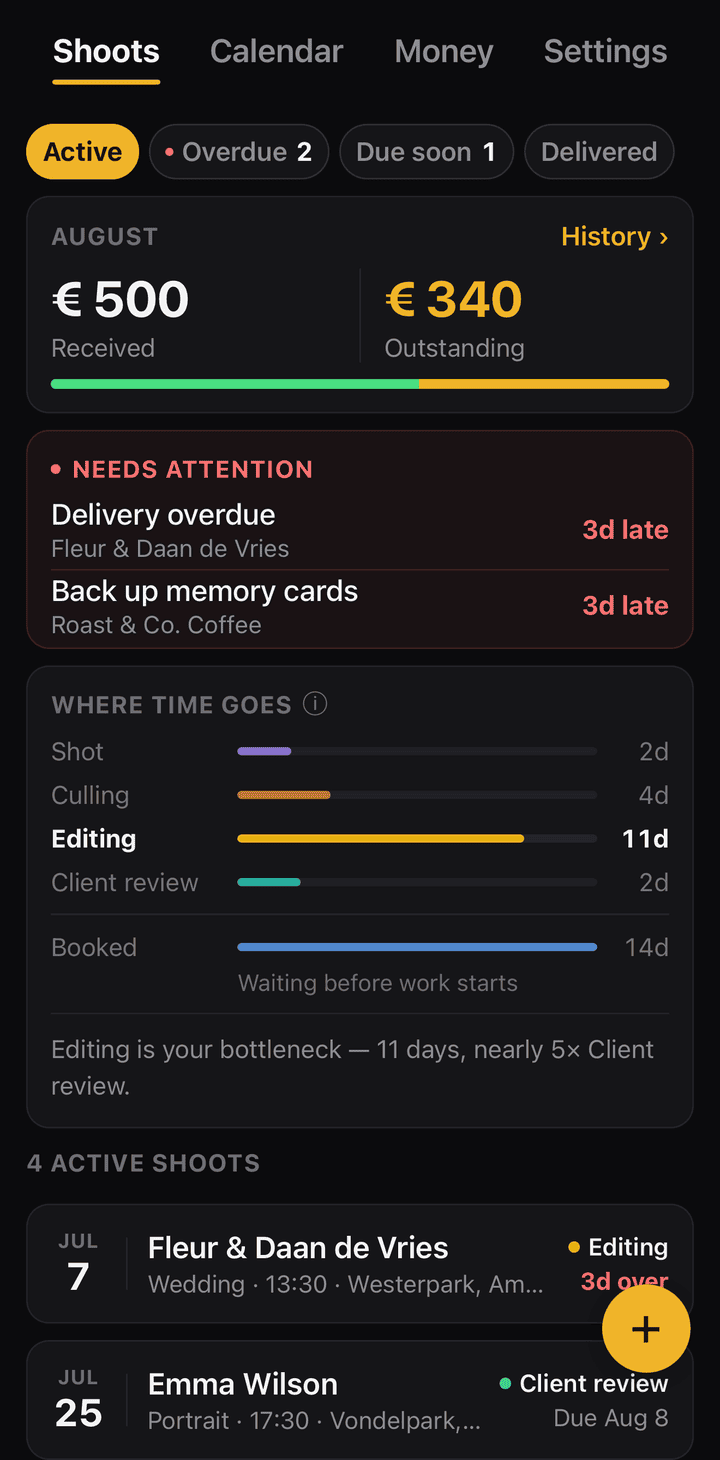
Every booking is a card, and three counters tell you what needs you today: active, overdue, and due soon. Tap one to filter down to just those shoots.
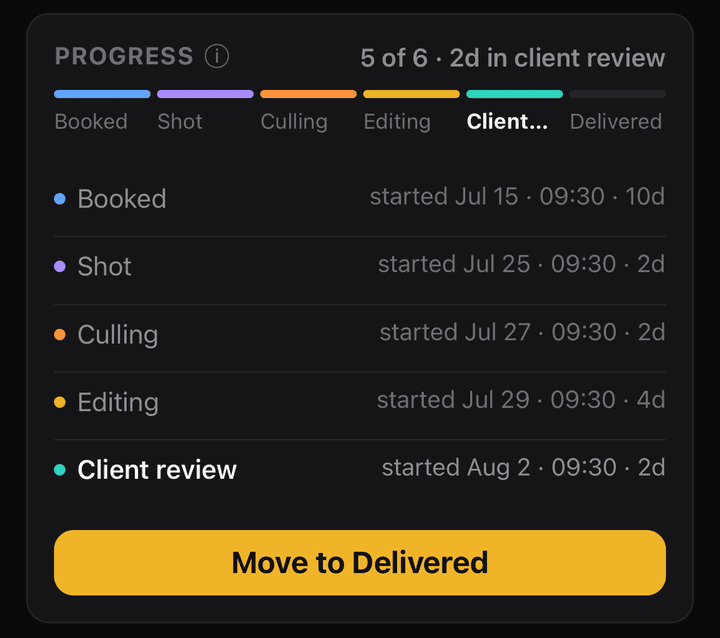
Each shoot moves through a clear pipeline: Booked → Shot → Culling → Editing → Client review → Delivered — or whatever stages you rename them to. Every stage change is timestamped, so each shoot shows when it entered each stage and how long it stayed — and gives an honest answer to “where is that wedding gallery, really?”
Never miss a delivery deadline
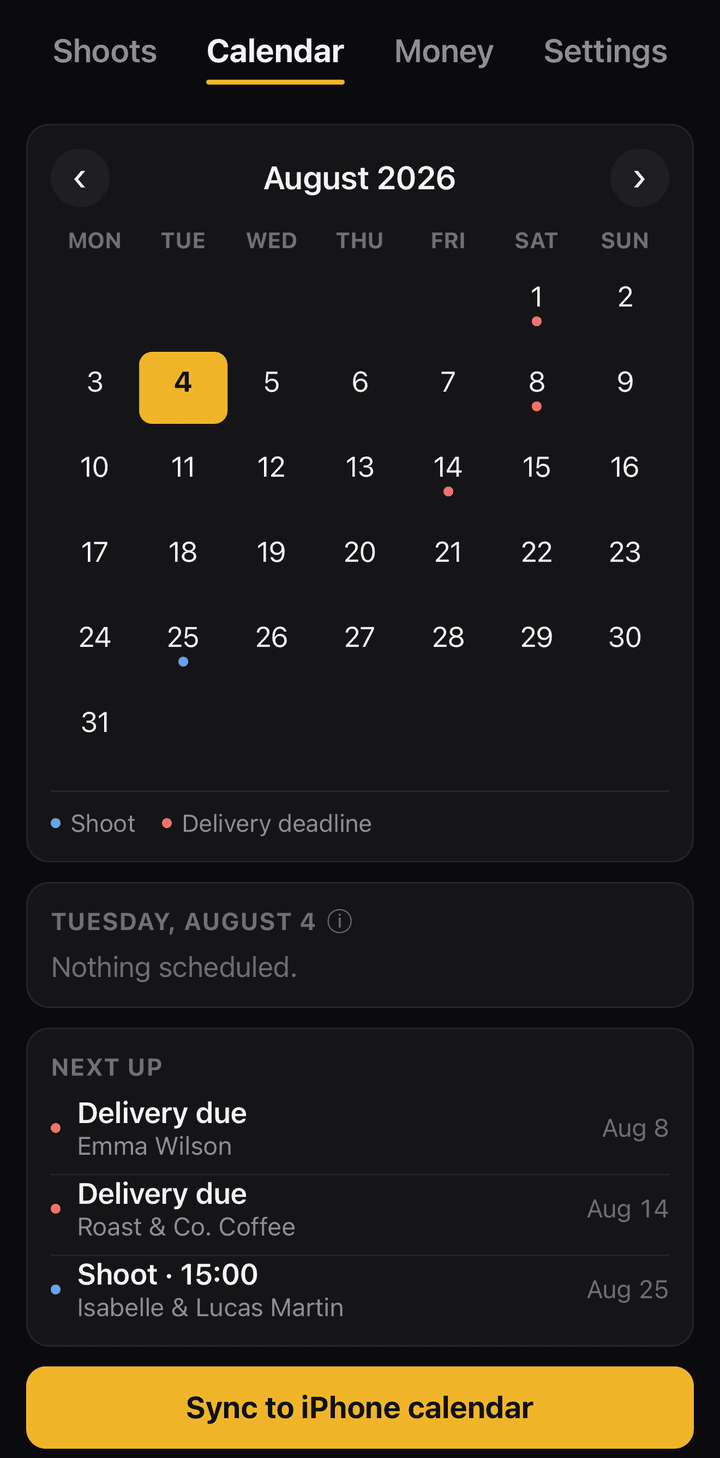
Set a delivery deadline per shoot and get reminders before it — and overdue alerts if it slips. Notification timing is configurable. With optional calendar sync, shoots and delivery deadlines also appear in your phone’s calendar, with optional alerts before each shoot.
Checklists that match how you shoot
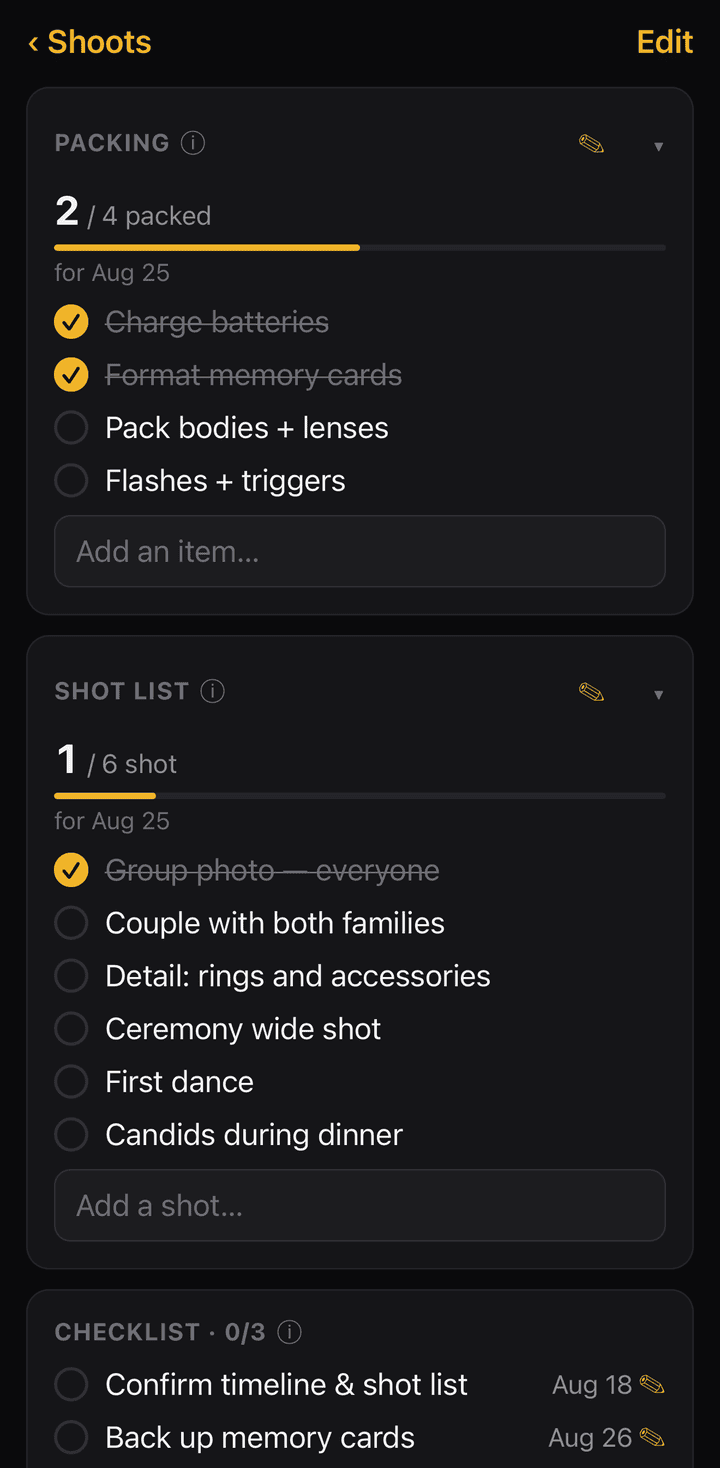
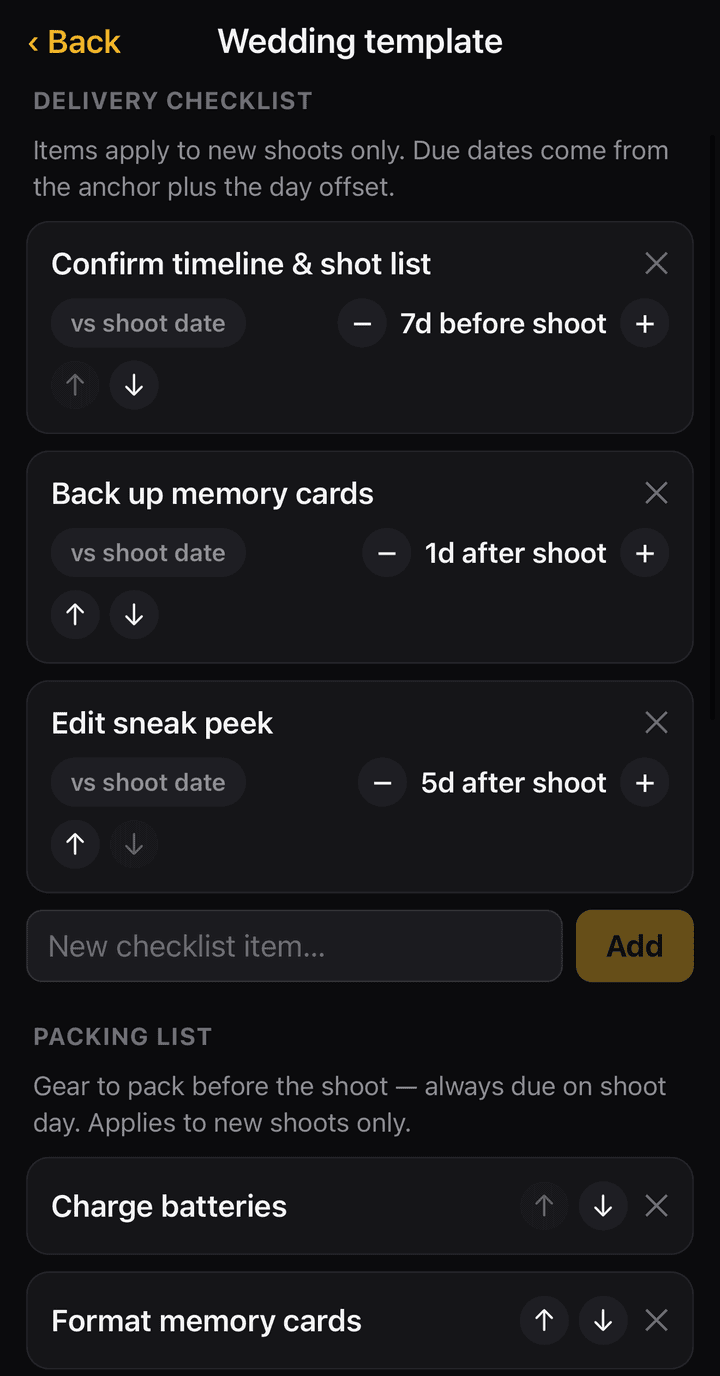
Every shoot gets three lists of its own: a delivery checklist with due dates, a packing list for the gear to bring, and a shot list for the day itself. Tick things off as you go.
Each shoot type — wedding, portrait, product, or your own custom types — carries its own editable templates, so a wedding never starts with a product-shoot checklist. Shape them once and every future booking starts a step ahead.
Know exactly what every shoot earns
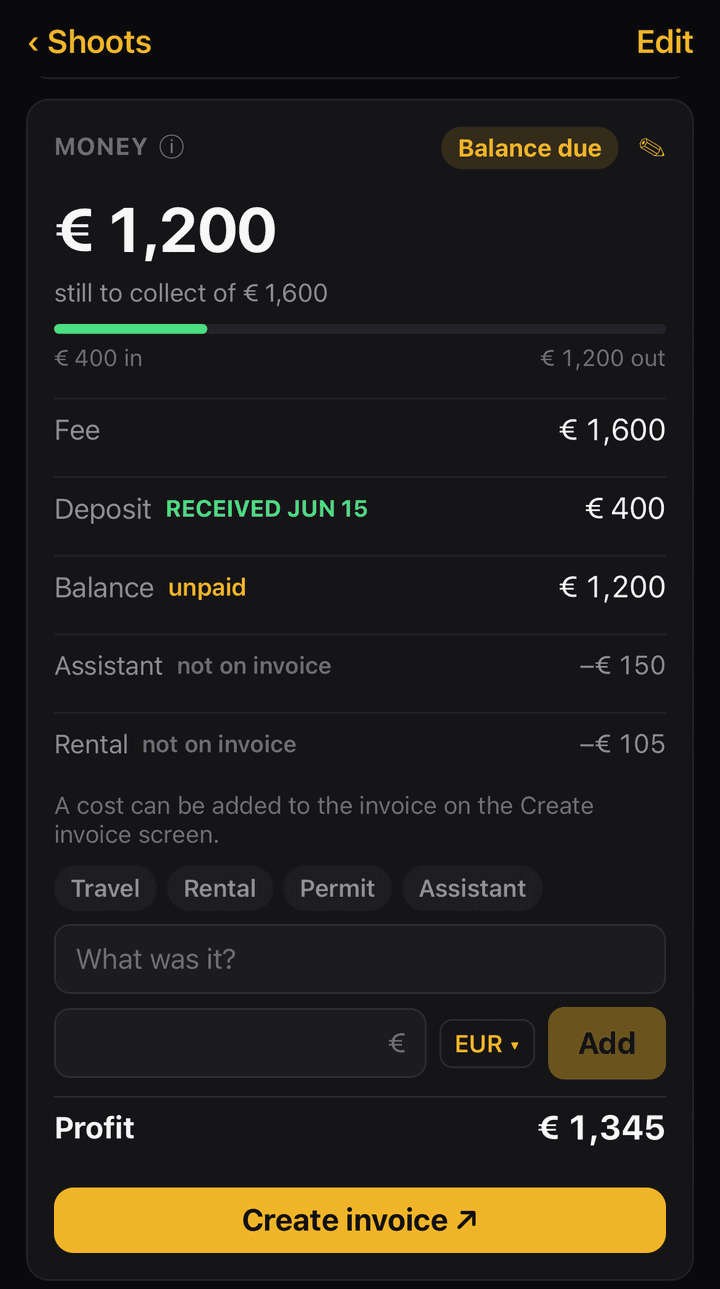
Track the fee, the deposit and what is still owed, log your costs as they happen, and see the profit on every shoot without doing the sum yourself. The balance updates as payments come in, and a shoot tells you at a glance whether the deposit has landed and whether the final invoice has been paid.
Decide which costs the client pays for
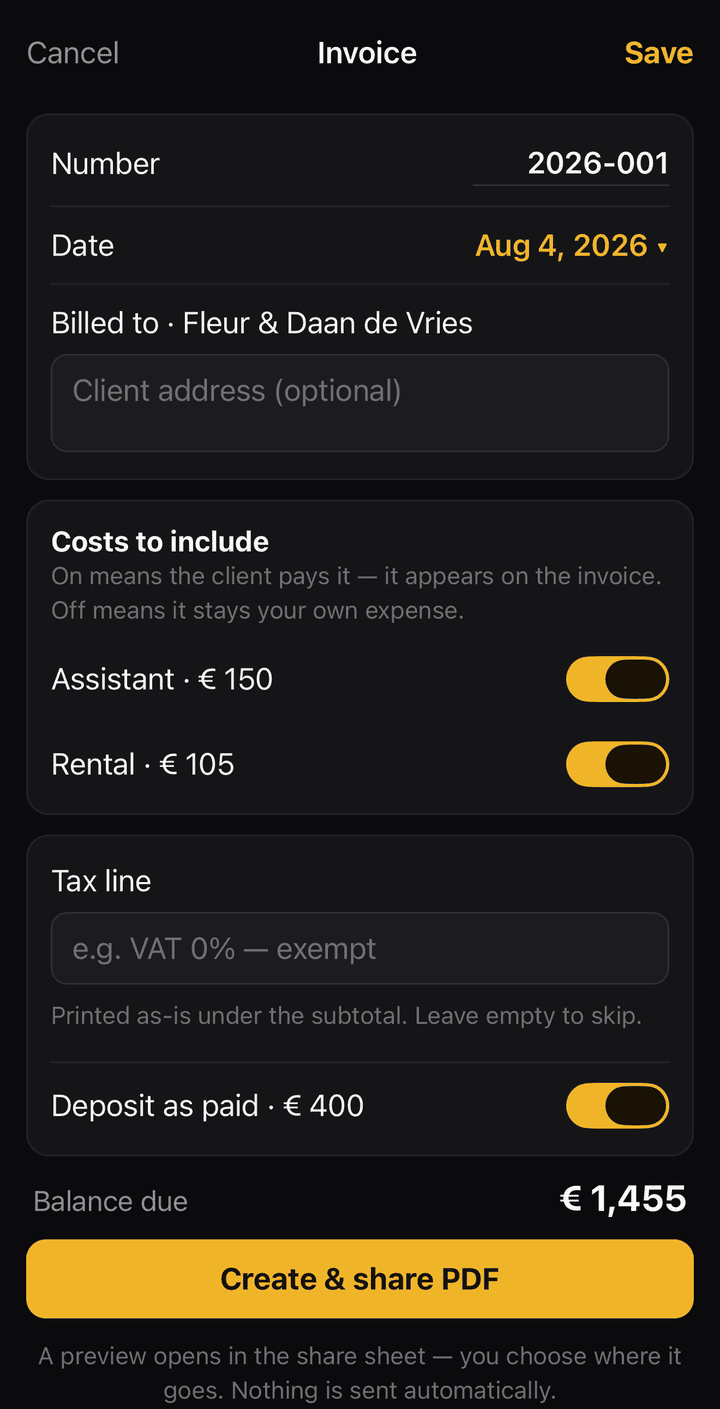
Not every cost is yours to absorb, and not every cost should land on the invoice. Each one carries a tag saying where it stands — billed to the client, or your own expense — and you flip that with a single switch while building the invoice. The client’s total and your profit both follow automatically: they owe the fee plus whatever you are charging on, and your profit is the fee minus only what you absorbed.
Any currency, never a guessed exchange rate
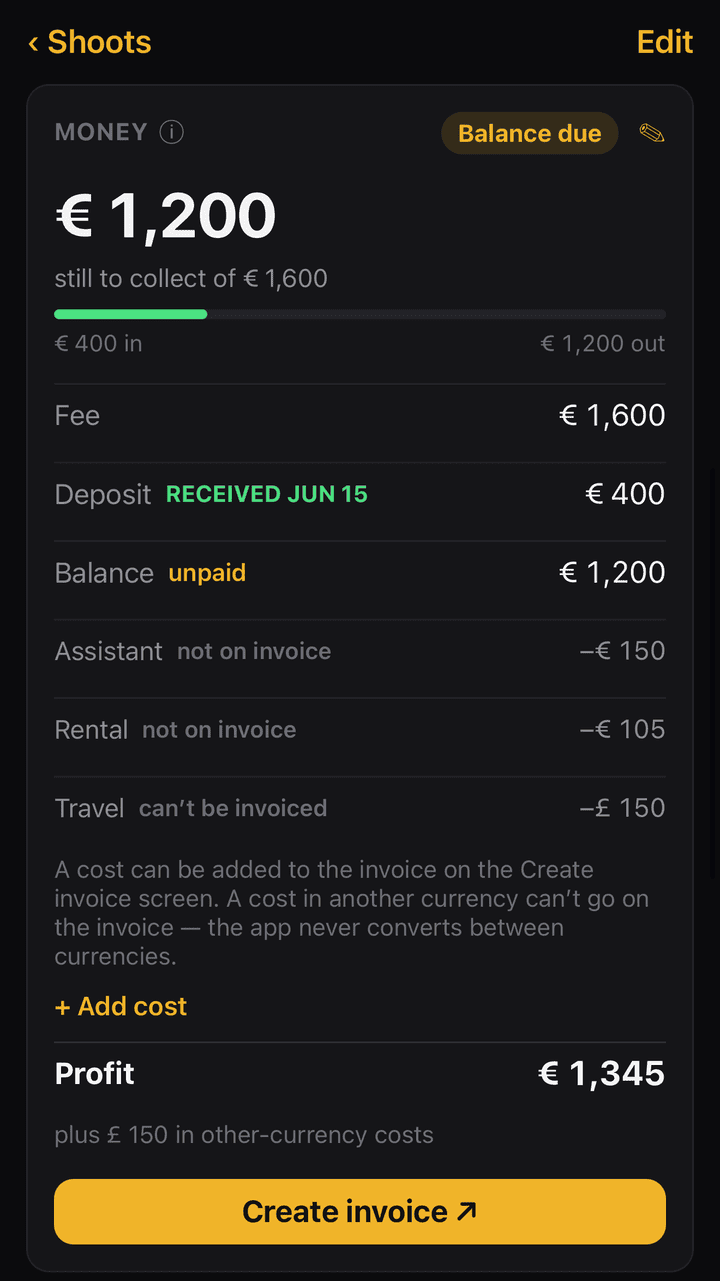
Set a currency per shoot, and a different one per cost when a job crosses a border — a rental paid in pounds on a shoot billed in euros. The app never invents an exchange rate. Amounts are grouped by currency and totalled separately, everywhere they appear, and a cost in another currency is clearly marked as one that cannot go on the invoice. What you see is what was actually spent.
Your month, your quarter, your year
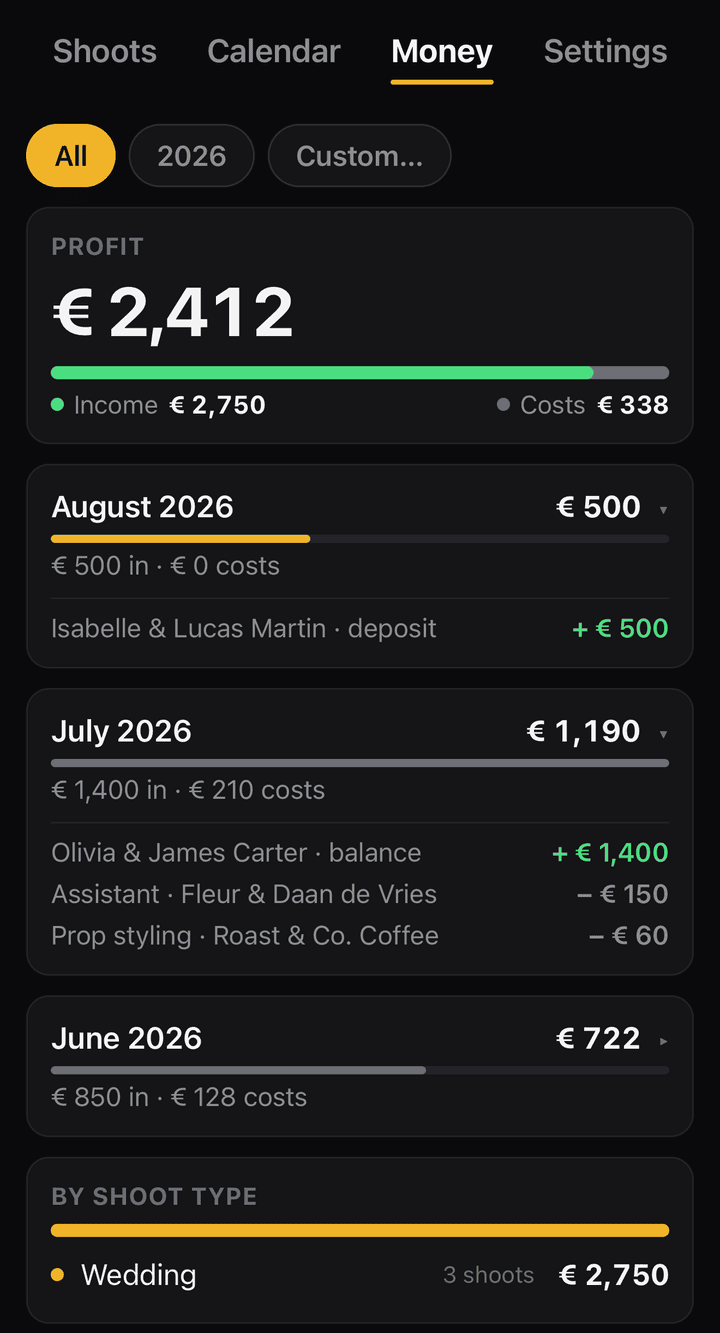
The Money tab collects it all: income received, costs paid, and profit, month by month and grouped per currency. Filter by year, or set an exact from–to range for a quarter, a season, or a single month — useful when the accountant asks, and useful for knowing whether a busy month was actually a good one.
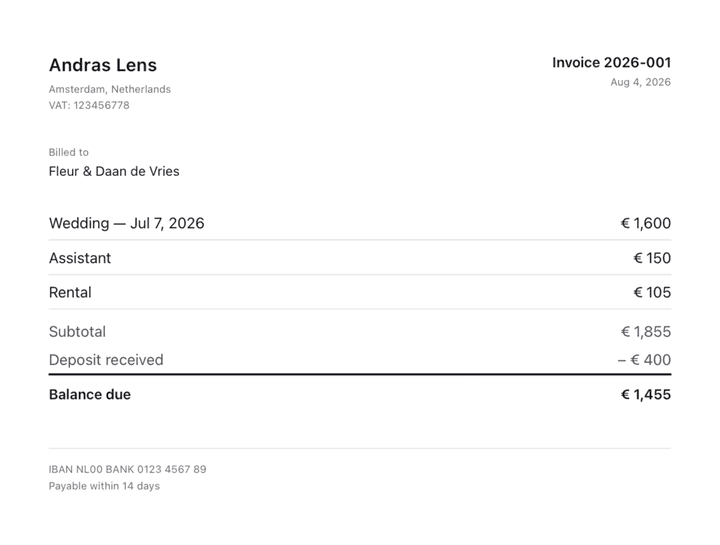
Send a professional invoice from wherever you are
Generate a PDF invoice entirely on your phone: your logo, your business details and legal lines in any language, year-based invoice numbering, the client’s details filled in, and the costs you chose to bill. Share it through the normal share sheet — email, message, or straight to Files. There is no tax engine and no assumptions about your country; the legal lines are yours to write, and the app prints them exactly as you typed them.
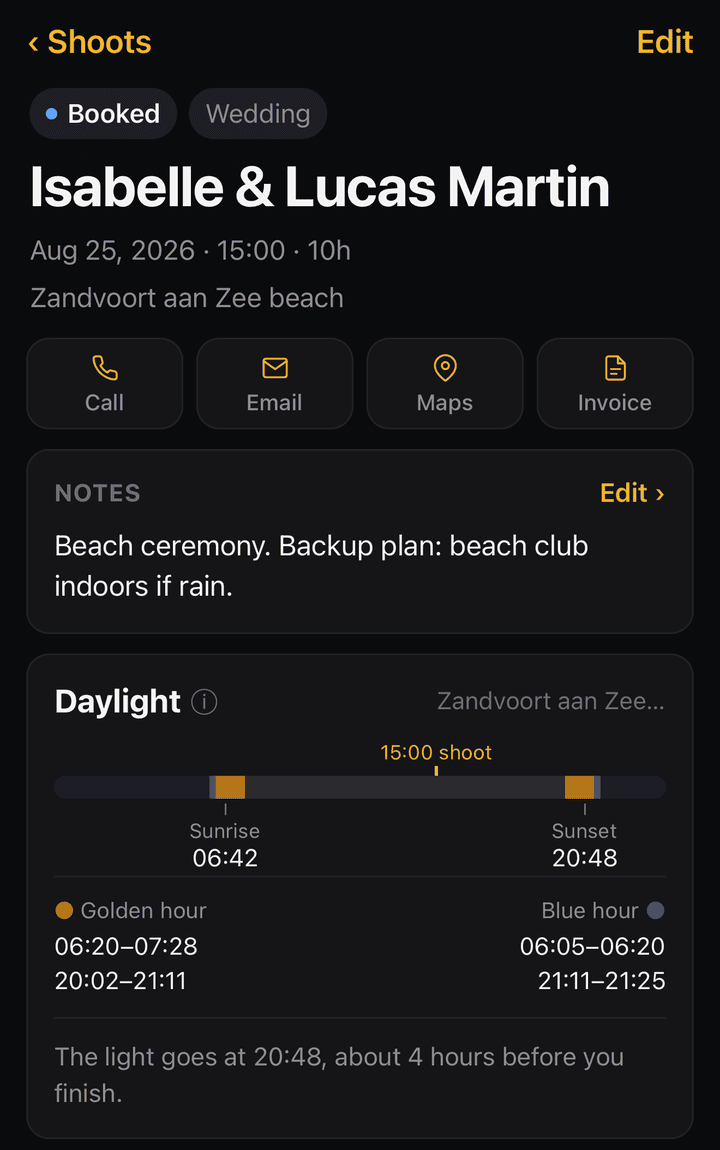
Plan the light before you arrive
Every shoot has a daylight card with sunrise, sunset, golden hour and blue hour — computed offline from the shoot’s date and map pin, no internet needed. A sun timeline shows exactly where your scheduled shoot time falls in the day’s light. Pin each shoot’s location with address search and open it in Apple Maps or Google Maps when it’s time to go.
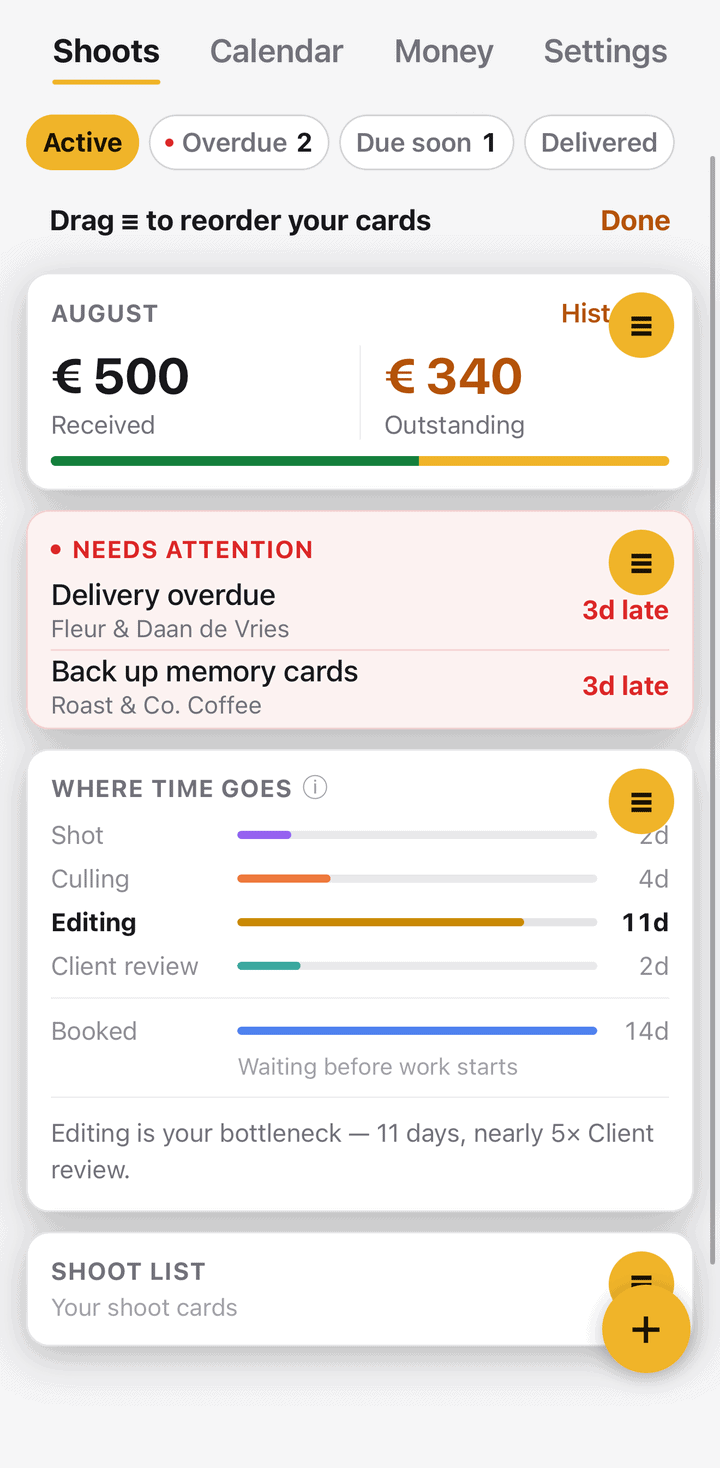
Make it yours
Rearrange the home and shoot screens exactly the way you work: press and hold any card, then drag it by the handle. Choose between the “Darkroom” night theme (the default) and a day theme. A contact log keeps track of every client, so repeat clients are one tap away. Backup and restore is a single file, exported wherever you choose. New users get a guided 60-second welcome tour.
Get the app
Shoot Delivery Tracker is in free beta testing on iPhone and Android. The public release is coming soon. Beta spots are limited to 50 testers, first come, first served. Contact me to join as a tester.
User manual
Want the full walkthrough before you download? The user manual covers every feature step by step — the shoot pipeline, deadlines, checklists, money and invoices, daylight planning, backups and more.
Your privacy
Shoot Delivery Tracker keeps everything on your phone. No account, no cloud, no analytics, no tracking, no ads — there is no server for your data or your clients’ data to go to. The single exception is the map, which asks Apple Maps or Google Maps when you search an address. Read the full Shoot Delivery Tracker privacy policy.
Frequently asked questions
Does it need an internet connection?
No. Shoot Delivery Tracker works offline — including golden hour and blue hour times, which are computed on your phone from the shoot’s date and map pin. The only feature that reaches the internet is the map itself, when you search an address or drop a pin. Everything else works in airplane mode, at remote venues, and abroad without roaming.
Is my client data uploaded anywhere?
No. There is no account, no login, no cloud, no analytics and no tracking. Your shoots, clients and money data stay on your phone. Backups are a single file that you export wherever you choose.
Is it a subscription?
No. Shoot Delivery Tracker is a one-time purchase. You buy it once and you own it — no monthly fee.
Which currencies does it support?
All of them. Set any currency per shoot, and a different one per cost. Multi-currency totals are grouped per currency and never converted with made-up exchange rates.
Which languages does it support?
Every text field — invoices, business details, legal lines, checklists, notes — accepts any language, with no country-specific assumptions built in.
Is there an Android version?
Yes. Shoot Delivery Tracker runs on both iPhone and Android, and works the same way on each.